
WP Search with Algolia
Fast, relevant search for WordPress. Free.
Replace the default WordPress search with Algolia: results as you type, typo tolerance, and relevance you can tune. Built and maintained by WebDevStudios.
Free on WordPress.org · Needs an Algolia account (free plan available)
7,000+active installs
400K+downloads
4.5/5WordPress.org rating
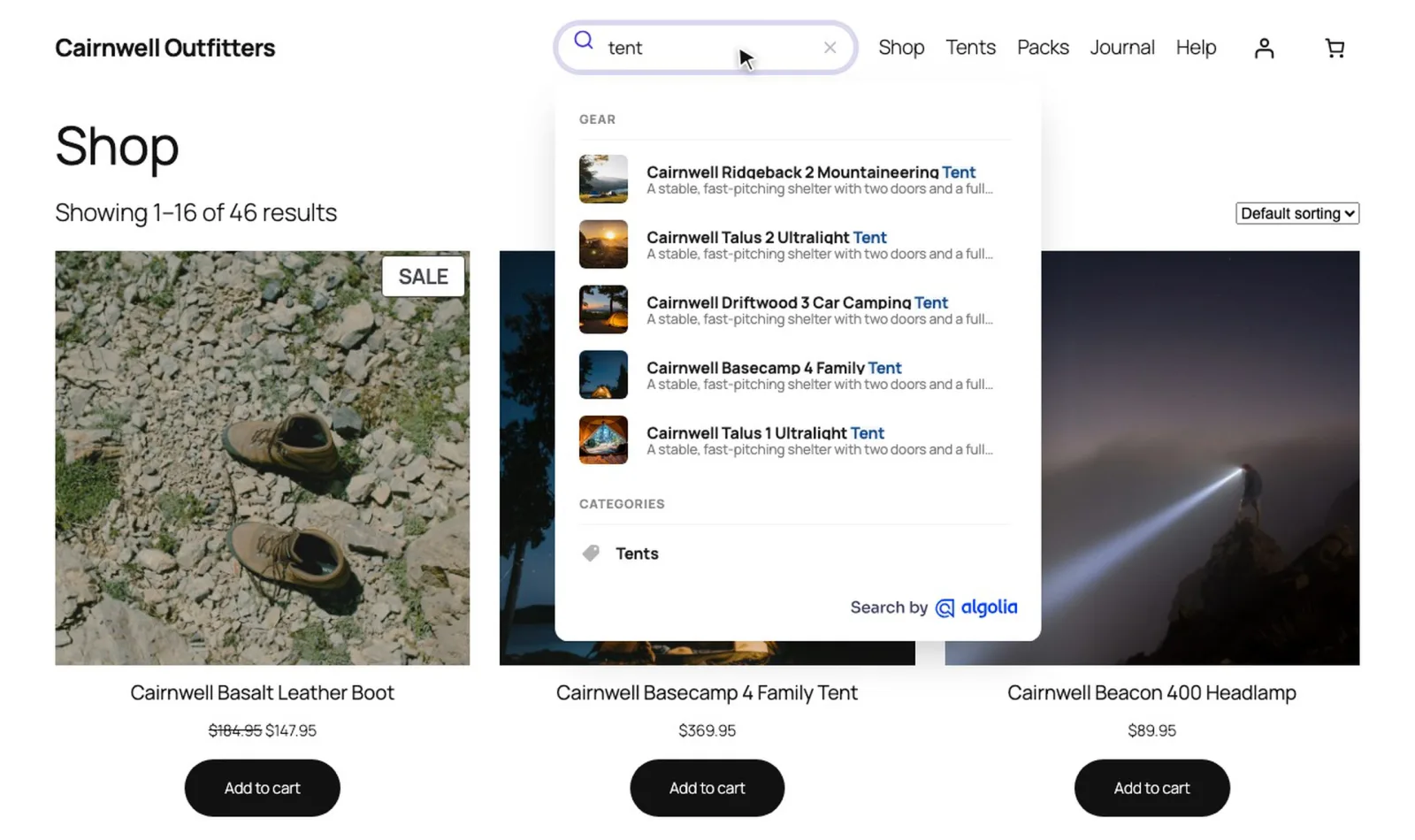
Search your visitors will actually use
Your content is indexed in Algolia and kept in sync as you publish, edit and delete.
Autocomplete
A dropdown of matching posts, pages and terms appears as visitors type.
InstantSearch
A full results page that updates on every keystroke, with facets to narrow results.
Typo tolerance
Misspellings still find the right result. That’s built into Algolia.
Relevance you control
Tune ranking and searchable attributes in your Algolia dashboard.
Any language
Works with content in any language.
Hooks and filters
Change what gets indexed and how results look, with documented hooks and overridable templates.
Need to search custom fields, keep noindexed pages out, or sell more from search? See what Algolia Pro adds →
Get started
- Install and activate WP Search with Algolia.
- Create an Algolia account and copy your Application ID and API keys.
- Paste them in under Algolia Search › Settings.
- Index your content, then turn on Autocomplete or InstantSearch.
Requires WordPress 6.2+, PHP 8.1+ and an Algolia account. Algolia offers a free plan for small projects.
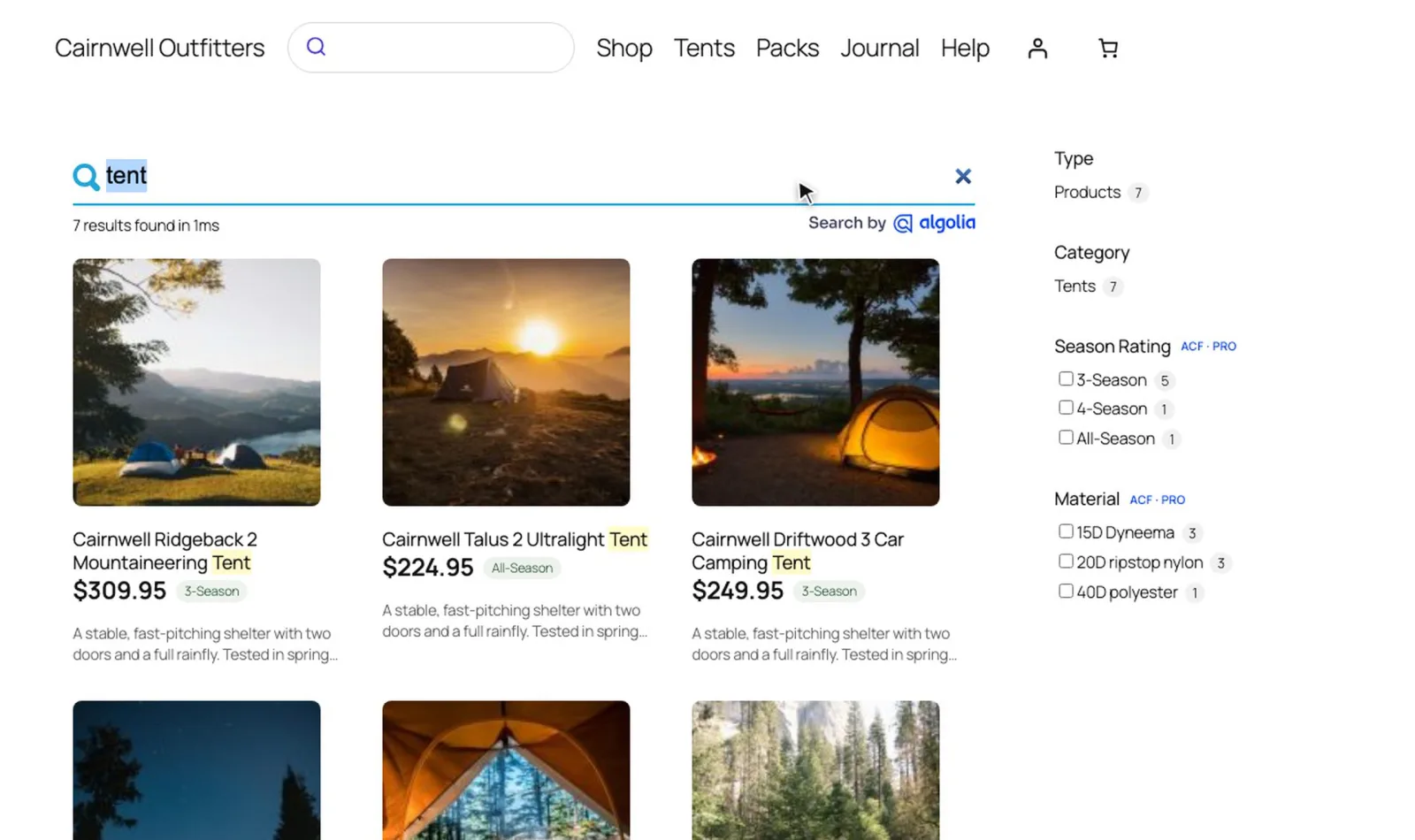
InstantSearch results. Filtering on custom fields (marked Pro) needs WP Search with Algolia Pro.
Search is working. Pro makes it find the right things.
The free plugin indexes titles and content and gives you Autocomplete and a results page. But the details people search for usually live somewhere else: in custom fields, in SEO settings, in what visitors actually buy. WP Search with Algolia Pro sends Algolia all of it, from settings screens, with no PHP. It’s an add-on to the plugin you already run, so there’s nothing to set up again.
$199/yr · 30-day refund · Works with your existing Algolia setup
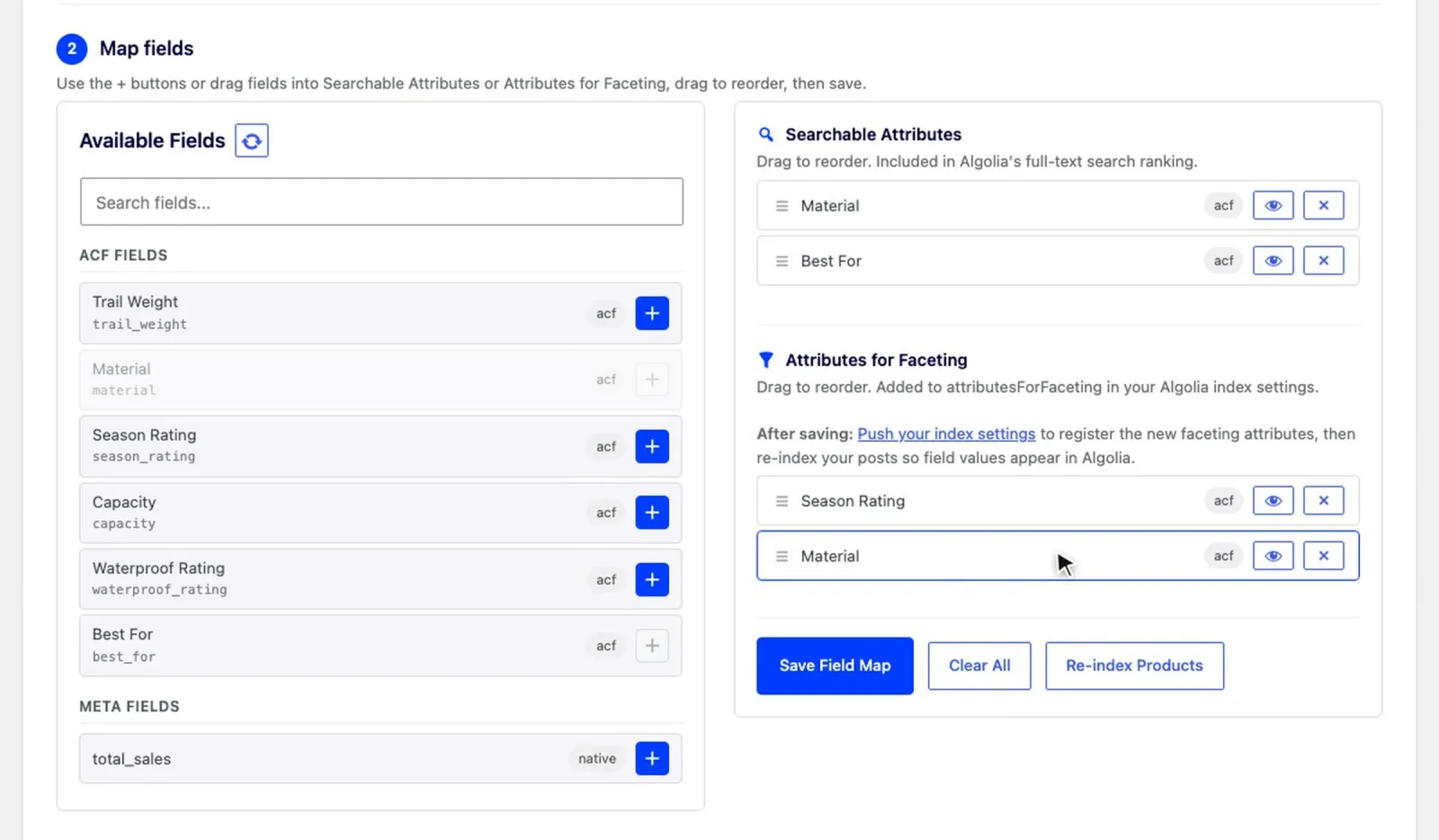
Make custom fields searchable
TodayACF, Meta Box and CMB2 fields aren’t indexed. Searching or filtering by one means writing a PHP filter for every field.
With ProPick fields in the Meta Field Mapper to make them searchable or filterable. No code, and nothing to maintain.
Only index what should be found
TodayPages you’ve set to noindex in your SEO plugin still show up in site search, and there’s no easy way to see what made it into the index.
With ProFollows noindex from Yoast, Rank Math, AIOSEO, SEOPress and The SEO Framework. A health panel and one-click re-index show it’s working.
Results that learn what sells
TodayAlgolia’s AI only sees the click on a result. The add to cart and the order happen later and never count toward ranking.
With ProPro ties every cart, checkout and order back to the search that started it, so Algolia’s re-ranking puts what sells first.
Product search that knows it’s a store
TodayWooCommerce products are indexed like blog posts. No SKU search, and sold-out items still show up first.
With ProSearch by SKU, show prices, rank by sales and ratings, and keep sold-out or hidden products out of results.
Help and resources
Documentation
Setup guides, hooks and template overrides.
Support forum
Ask on WordPress.org. We answer there.
GitHub
Report issues and send pull requests.
Changelog
What changed in each release.
Questions
Do I need an Algolia account?
Yes. The plugin sends your content to Algolia, which runs the search. Algolia has a free plan for small, non-commercial projects.
What does Algolia Pro add?
A no-code mapper for ACF, Meta Box and CMB2 fields, noindex support for five SEO plugins, index health tools, one index for a multisite network, WooCommerce product data, and conversion events for Algolia’s AI. $199/yr with a 30-day refund.
Does it work with WooCommerce?
Products are indexed like any other post type. WP Search with Algolia Pro adds SKUs, prices, ratings and stock handling.
Can I index custom fields?
With code, using the plugin’s filters. Pro adds a screen to map ACF, Meta Box, CMB2 and post meta fields without PHP.
Is it the same as the old Algolia plugin?
It started as a fork of the original Algolia plugin when Algolia stopped maintaining it. WebDevStudios has maintained it since.
Get WP Search with Algolia
Free on WordPress.org.