
CPT UI Pro turns Custom Post Type UI from a registration tool into a complete content operations stack. Display your content anywhere with a single block. Manage it in an admin that actually reflects your content model. Scale it across a Multisite network. Extend it with a full developer API.
This is what WordPress content operations looks like when it’s done right. Here’s everything you get.
Front-end display tools
Stop writing custom template files and shortcodes from scratch. CPT UI Pro ships ready-to-use blocks and a shortcode builder so your custom post types show up beautifully, no extra theme work required.
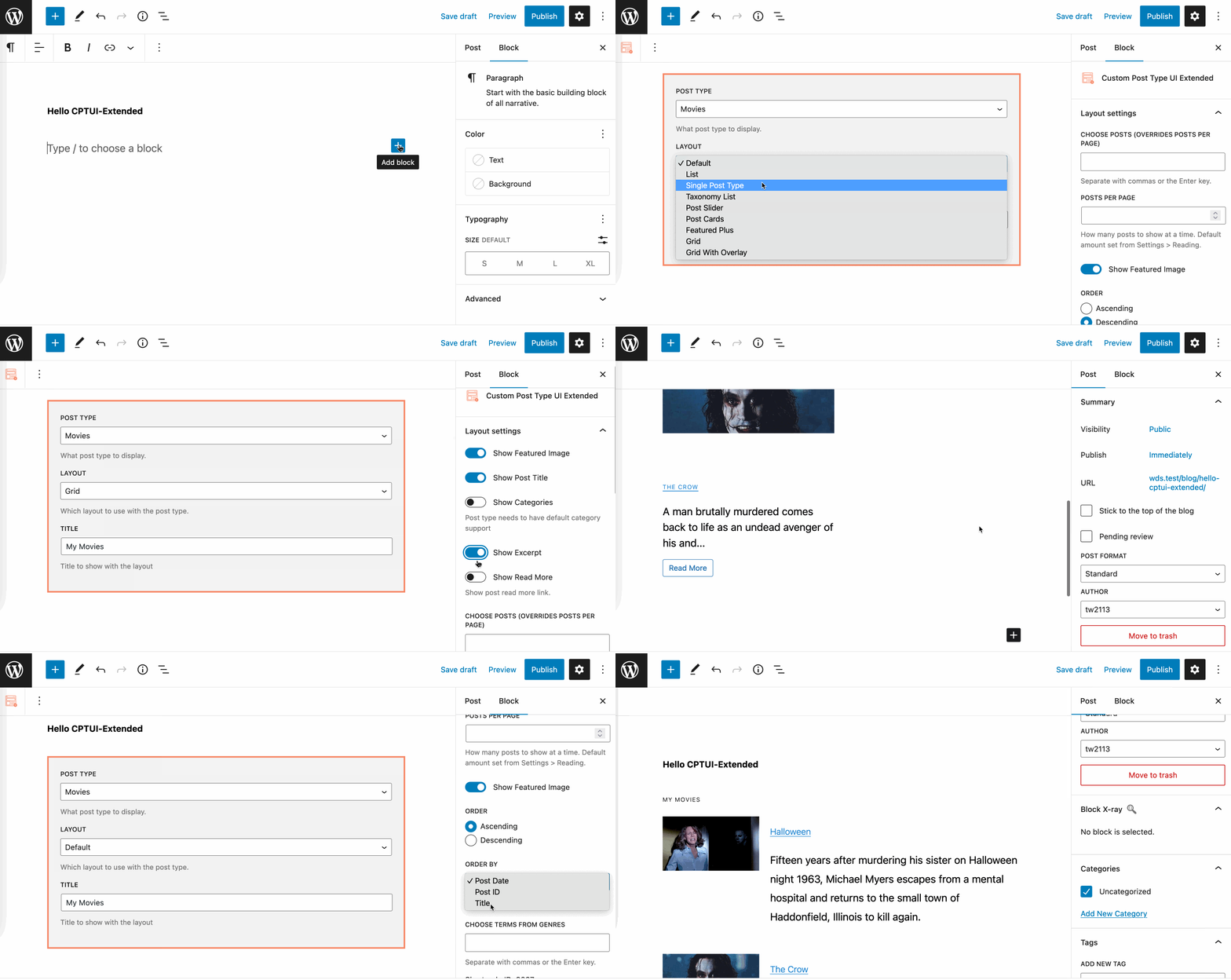
Gutenberg Block Editor Custom Block for CPT UI Pro
Easily display your custom post type content using our custom block with 10-different built-in layouts!
Admin list table management
The WordPress dashboard list table is where your editors live. CPT UI Pro gives you full control over what you see and what you can filter by.
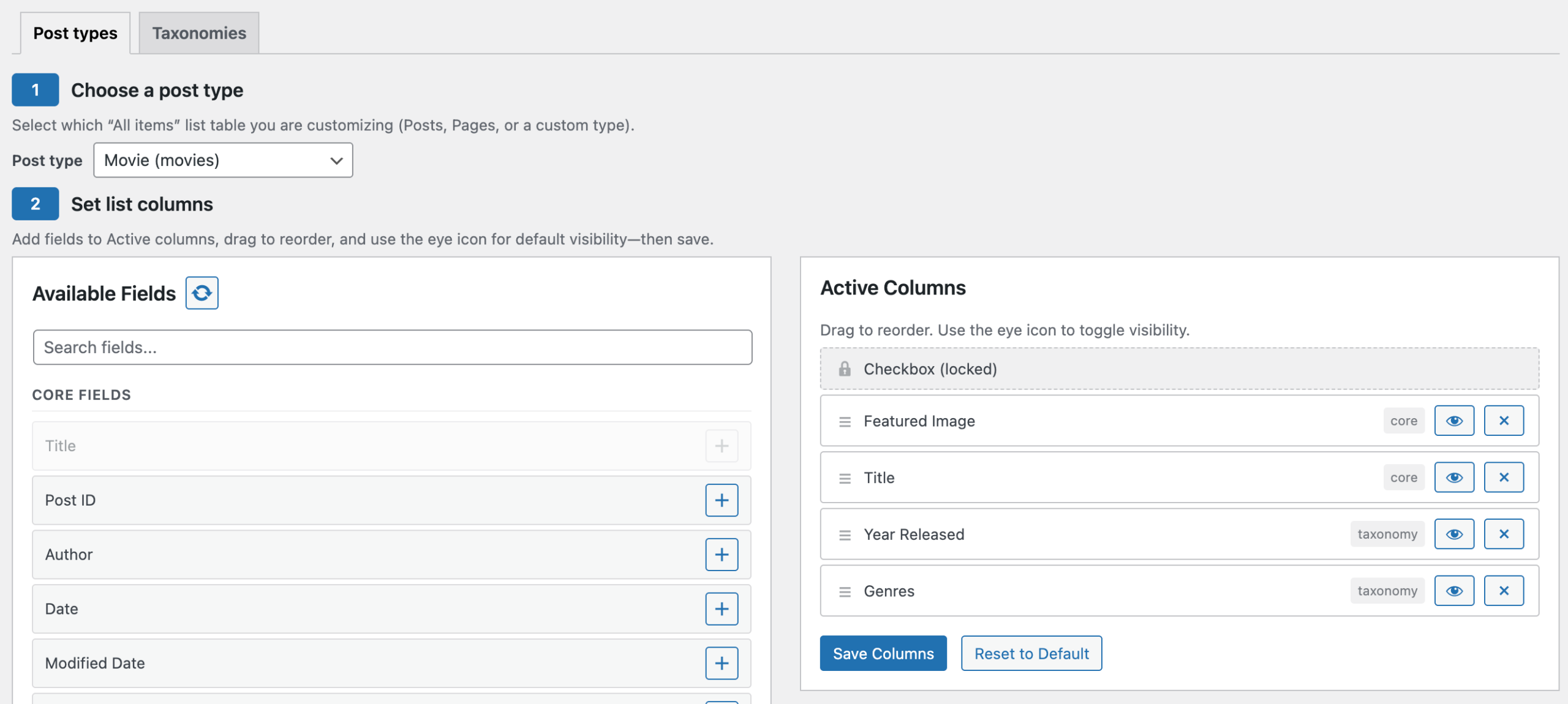
- Column Builder: Add and reorder admin columns with drag-and-drop. No code.
- Advanced Filters: Filter list tables by taxonomy, meta field, date, author, and status.
- Screen Options Panel: Let each user show or hide columns based on their own workflow.
Below is an example of a customized WordPress dashboard CPT listing table. The Movies CPT only displays the Featured Image, Title, Year Released, and Genres.
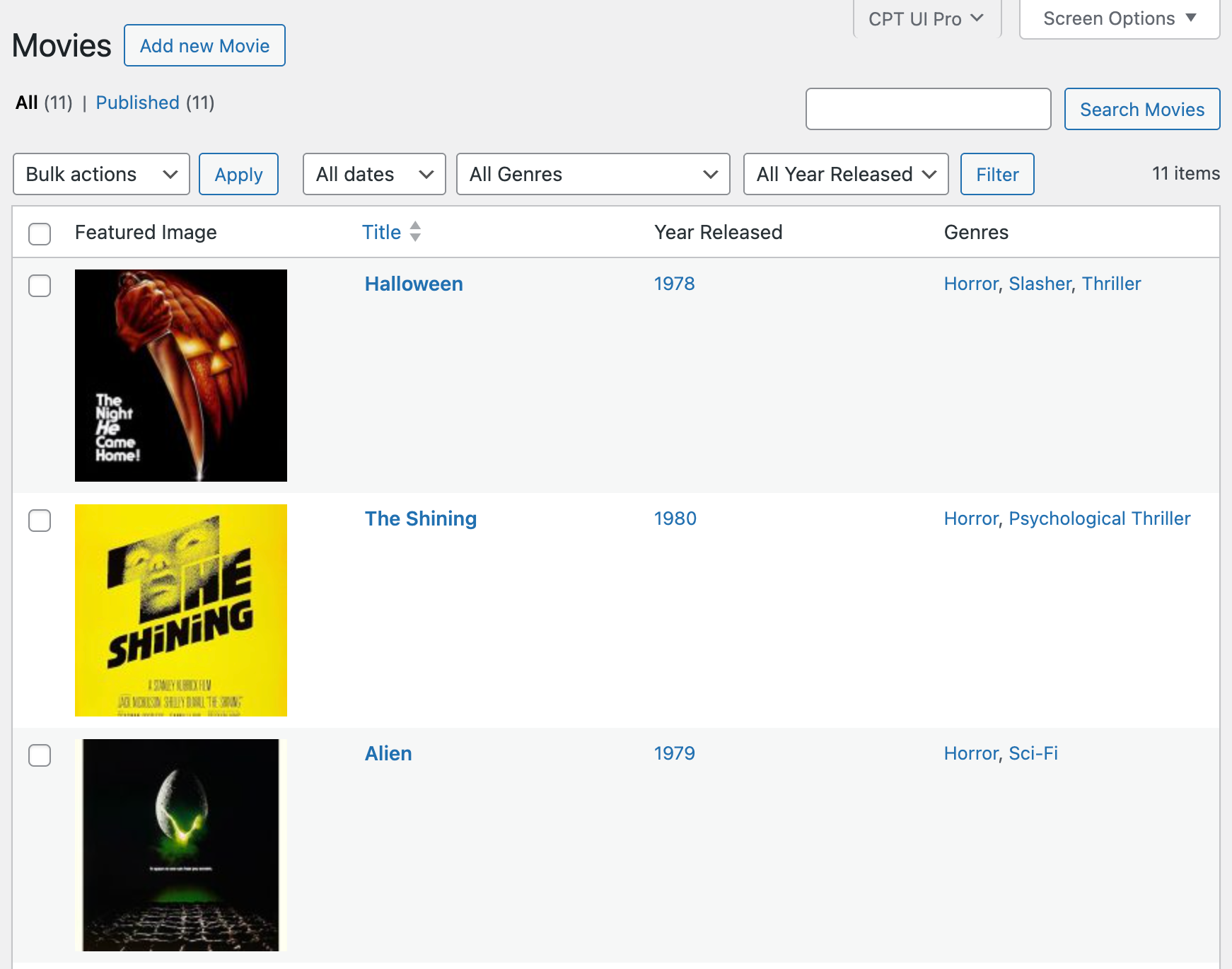
Easily customize any post type admin screen to show only the fields you want!
Multisite management
Running a Multisite network? CPT UI Pro lets you manage post type structure from a single location and push it consistently across every subsite.
- Network-level CPT registration: Define post types and taxonomies once at the network level.
- Push config to subsites: Keep site structures in sync without touching each subsite individually.
- Per-site inheritance control: Override network defaults per subsite when you need flexibility.
Developer-focused workflow
CPT UI Pro is built for teams that treat WordPress as a platform. Hook into registrations programmatically, drive config from JSON or CI pipelines, and extend the REST API without workarounds.
- Advanced hooks, actions/filters: Merge, modify, or replace post type registrations at runtime.
- Auto-discovery hooks: Let themes and plugins register CPTs automatically, without manual setup.
- Programmatic registration API: Drive post type config from JSON files or your deployment pipeline.
- Extended REST support: Builds on CPT UI’s core REST capabilities with additional controls and endpoints.
Support and purchase terms
- Priority email support: Direct access to the WDS support team for 6 months from purchase.
- 30-day money-back guarantee: If it’s not the right fit, we’ll make it right.