
Custom Post Type UI
Custom post types and taxonomies. No code.
Register post types and taxonomies from a settings screen instead of writing register_post_type(). Properties, events, recipes, team members: set them up in minutes and change them any time.
Free on WordPress.org · Maintained by WebDevStudios
25M+downloads
1M+active installs
4.6/5WordPress.org rating
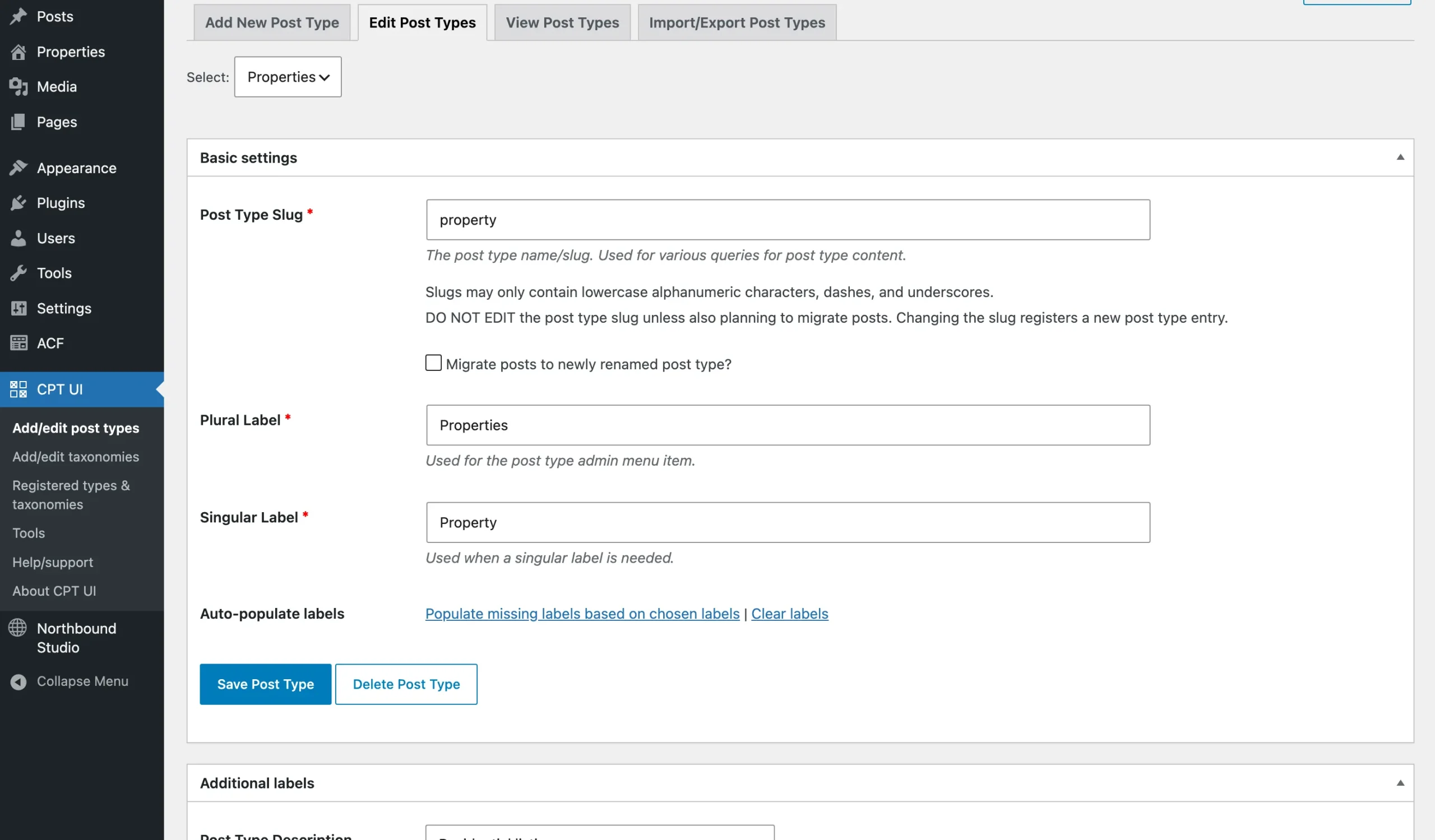
Model your content, not your code
Everything register_post_type() and register_taxonomy() can do, as a form.
Custom post types
Slug, labels, supports, archives, REST API, menu position and icon.
Custom taxonomies
Category-style or tag-style, attached to any post type.
Labels in one click
Enter singular and plural names and fill in every other label automatically.
Import and export
Copy your settings to another site as JSON.
Get the code
Export PHP for any post type or taxonomy when you want to move it into a theme or plugin.
See what’s registered
List every post type and taxonomy on the site, including ones from other plugins.
Running CPT UI on a client site? Pro adds ACF columns and filters, client-safe admin and front-end layouts. See what Pro adds →
Get started in minutes
- Go to Plugins › Add New and search for “Custom Post Type UI”.
- Install and activate it.
- Open CPT UI › Add/Edit Post Types and enter a slug and labels.
- Save. Your new post type appears in the admin menu.
CPT UI registers post types and taxonomies. Showing them on the front end is up to your theme, the Query Loop block, or CPT UI Pro.
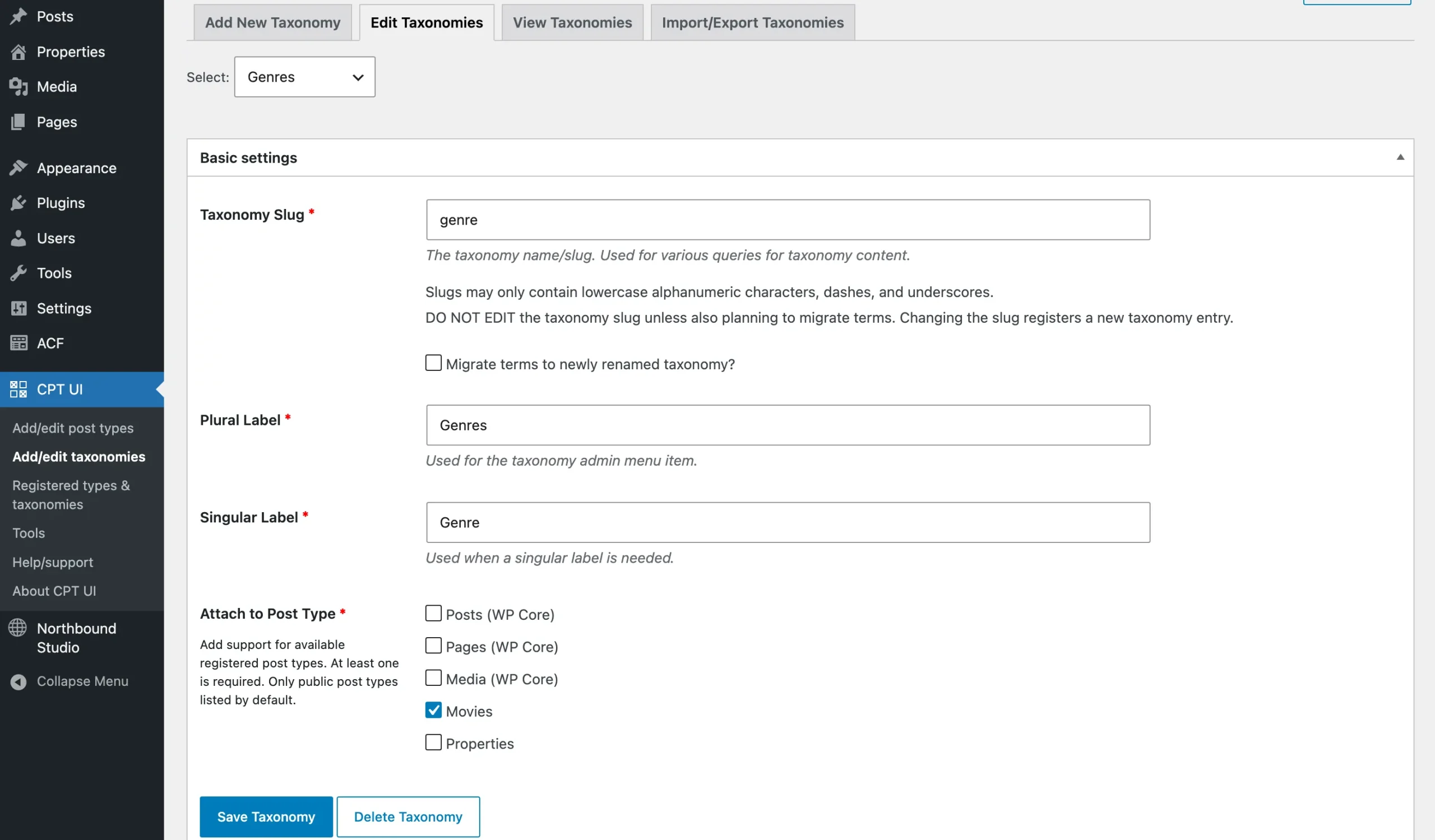
Taxonomies attach to any post type, including your own.
You built the post types. Pro makes them easy to run.
Free CPT UI gets your content model into WordPress. The work starts after that: editors digging through hundreds of entries, clients with enough admin access to break things, and a template to write for every post type. CPT UI Pro handles all of it, and runs alongside the free plugin with nothing to migrate.
From $99/yr · 30-day refund · Keeps your existing post types and content
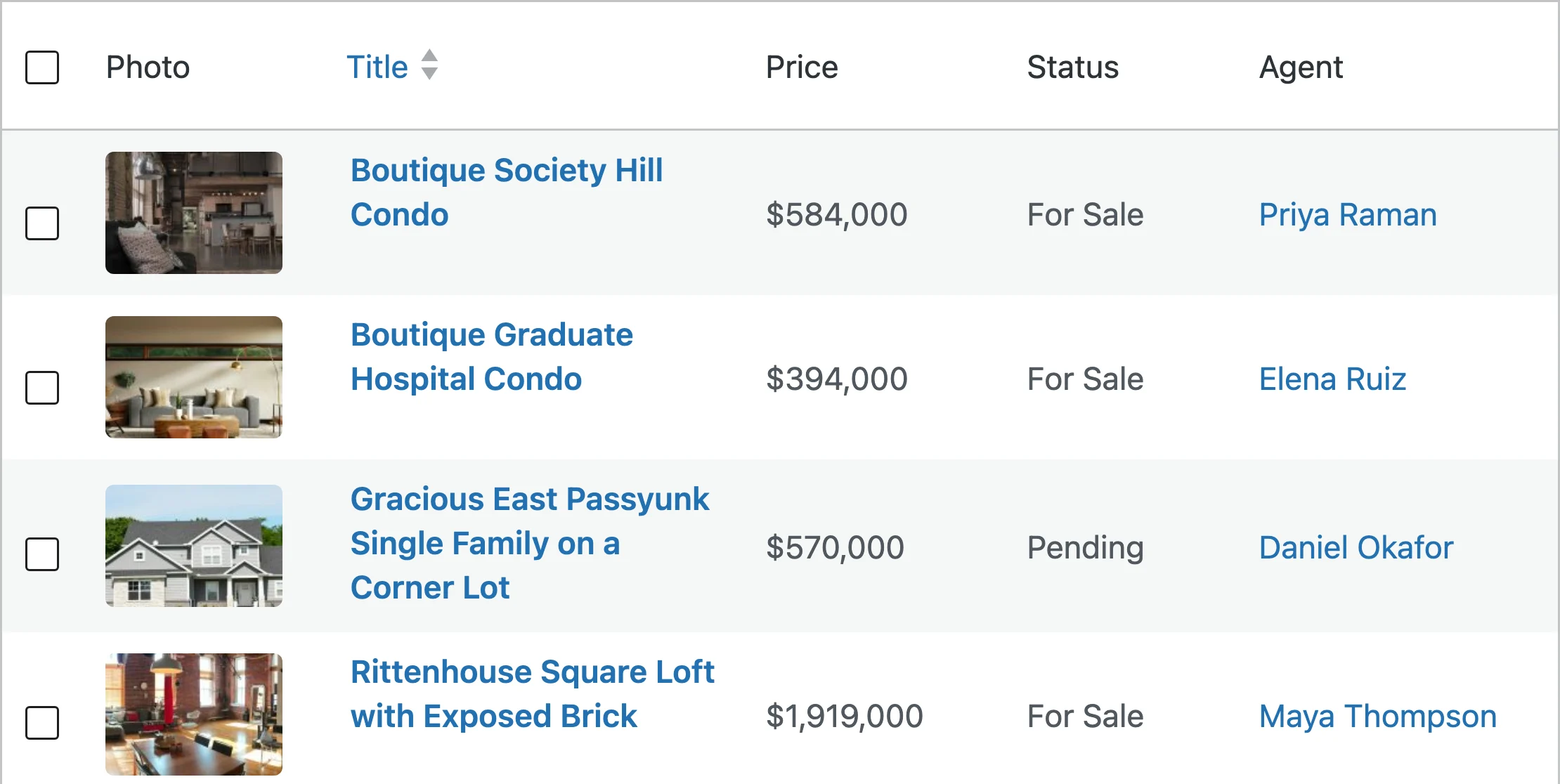
See every field in the admin list
TodayEvery post type gets the same Title, Author and Date columns. To check a price or an event date, editors open entries one by one.
With ProAdd ACF and custom fields as columns and filter by any of them. Images show as thumbnails, dates as dates, users as names.
Hand off client sites safely
TodayEvery administrator can open CPT UI and rename or delete a post type. One wrong click and their content disappears from the site.
With ProOnly the admins you choose can see CPT UI. Brand the menu with your own name and icon.
Show post types without templates
TodayYou write a template or custom loop for every post type, then rewrite it when the design changes.
With ProAdd a block and pick one of 13 layouts: grid, cards, slider, featured and more. Override any layout in your theme.
One content model for a whole network
TodayOn multisite you recreate the same post types on every site by hand, and they slowly drift apart.
With ProRegister them once in Network Admin. Every site gets them, locked against local changes.
Help and resources
Documentation
Guides for every setting.
Support forum
Ask on WordPress.org.
Developer docs
Hooks and filters.
GitHub
Report issues and contribute.
Questions
Does it display my post types on the site?
No. CPT UI registers them. Use your theme’s templates, the Query Loop block, or the display block in CPT UI Pro to show them.
What does CPT UI Pro add?
Custom admin columns and filters (including ACF fields), access control so clients can’t change your post types, a display block with 13 layouts, and network-wide post types on multisite. From $99/yr with a 30-day refund.
What happens to my content if I deactivate it?
The posts stay in your database. The post types just aren’t registered, so they come back when you reactivate or register them in code.
Can I move my post types into code later?
Yes. Use Tools › Get Code to copy the PHP for any post type or taxonomy.
Does it work with Advanced Custom Fields?
Yes. Register the post type in CPT UI and add fields to it with ACF.
Is it really free?
Yes. It’s GPL-licensed and free on WordPress.org.
Get Custom Post Type UI
Free on WordPress.org.